Vault keeps the plant's record
An industrial data historian for Windows. It collects OPC UA and Modbus TCP data on the PC that is already on site, keeps every value with its quality and timestamp, and marks every gap with its cause.
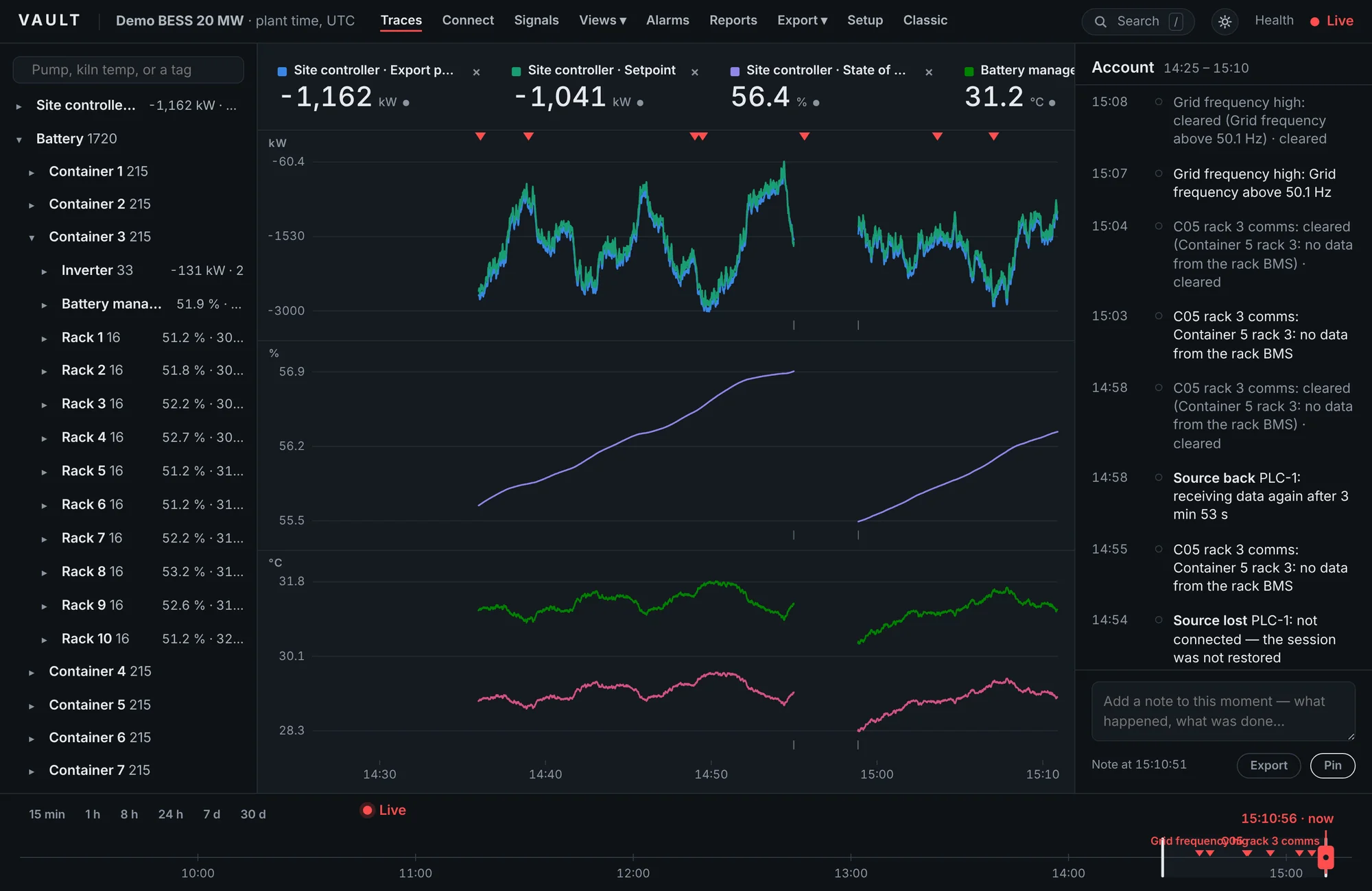
The plant, not a tag list
Signals are placed under areas, units and equipment, with the names people use. The row for each piece of equipment shows the two or three values that matter. Click it and the strip fills with its signals, one lane per unit.
- Suggest from the names. Vault proposes a first plant from S7, PLCnext and OPC UA naming, which you rename and arrange.
- Search everything. Equipment, signals, alarms and bookmarks from one search box.
- Desktop and tablet. The same screen works on a control-room monitor and an engineer's tablet.
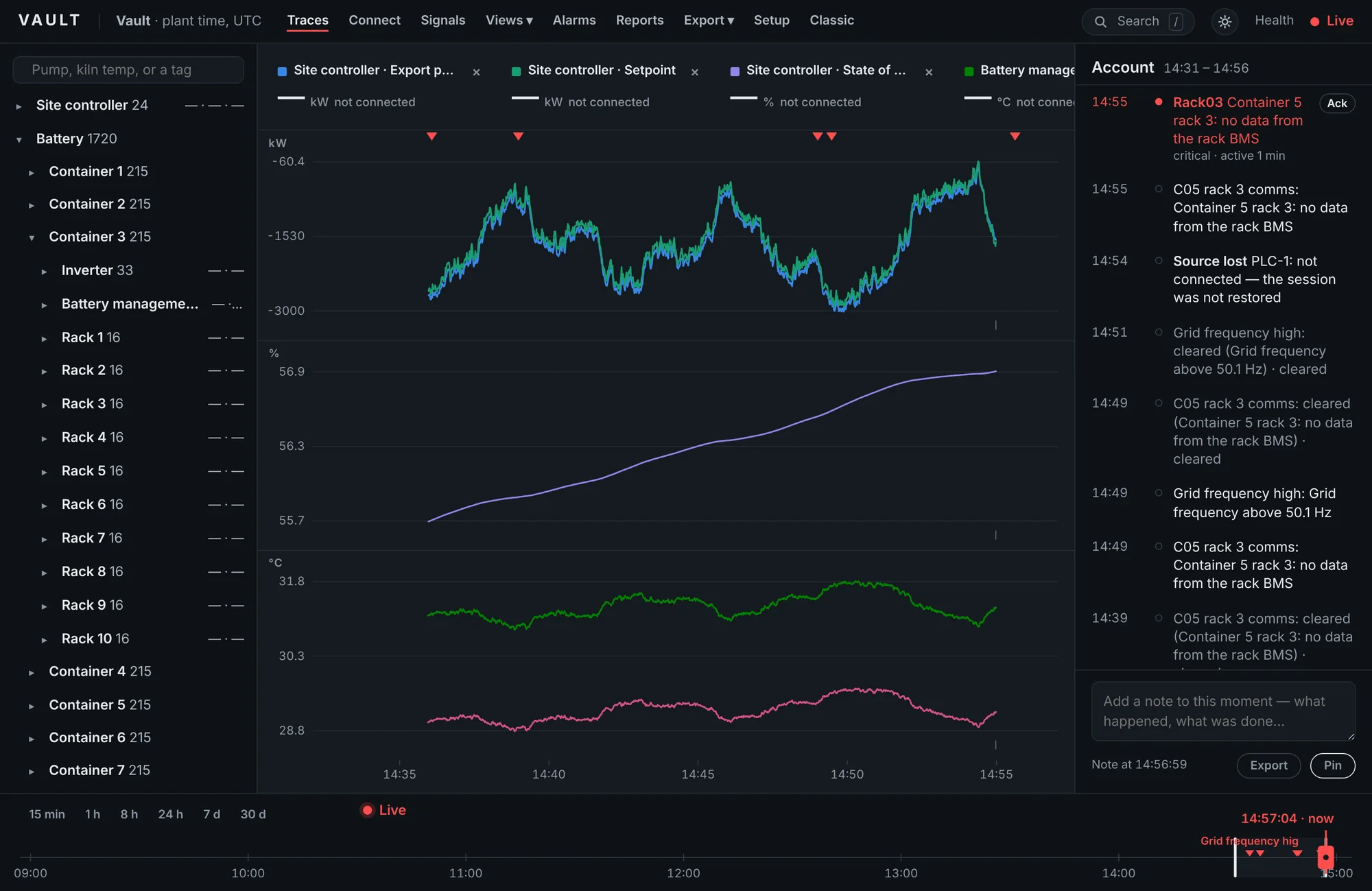
A gap is a fact, so Vault keeps it
When a source stops answering, Vault writes a gap marker at the moment the data stopped, raises a plain event ("PLC-1 not connected, reconnecting") and shows a dash instead of a stale number. When the link returns it fetches anything the server still holds and marks the rest.
- Quality on every value. Good, uncertain and bad are stored with the sample and drawn into the line.
- Restarts and crashes leave their own markers, from the last value that reached the disk.
- Exports carry the truth. CSV and Parquet include quality and declare the compression in force.
Go back to the moment
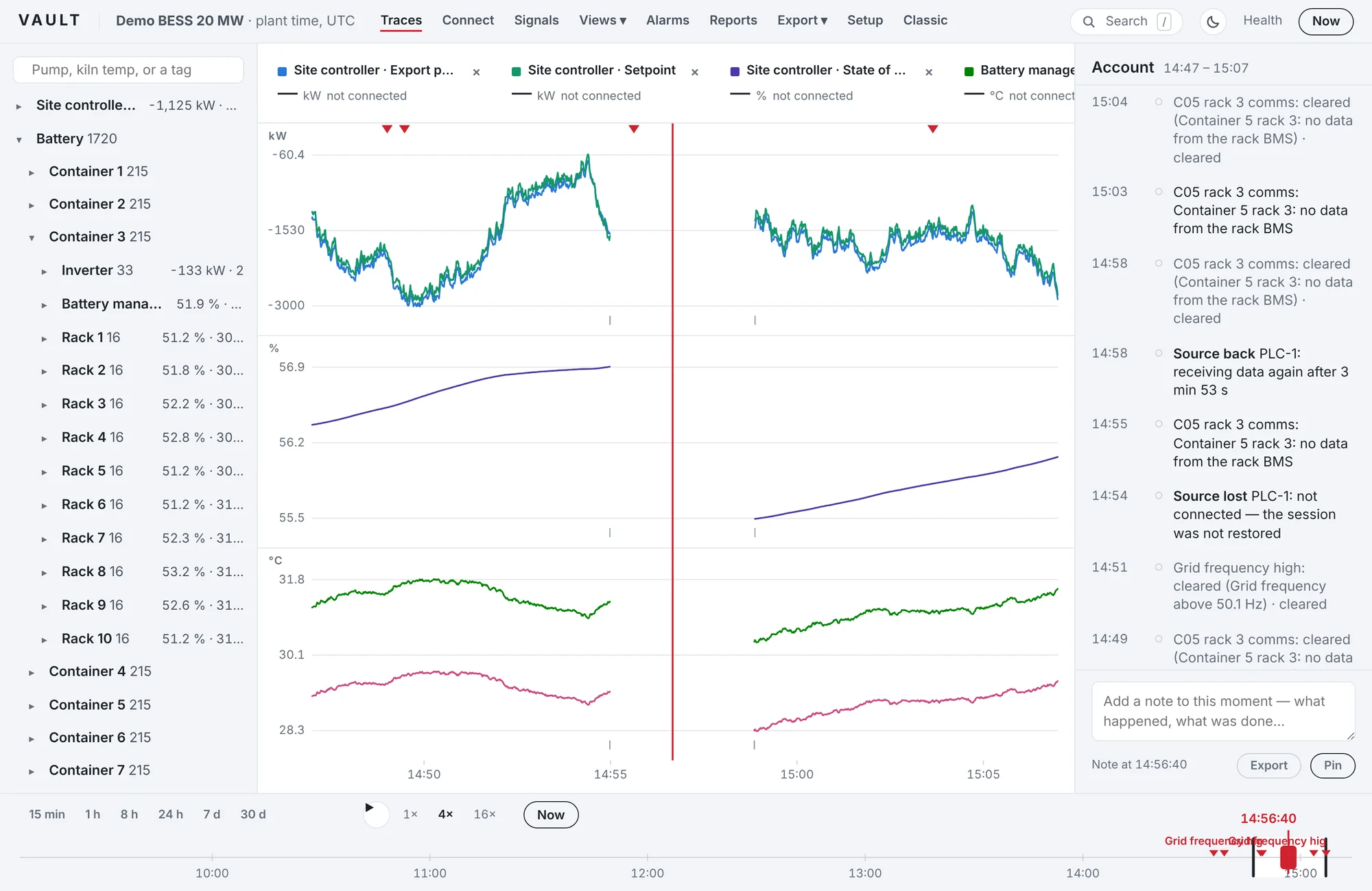
Drag the playhead to a trip and every value on screen follows. Play the period back at 4× or 16×, ghost yesterday's run over today's, or bookmark the range for the investigation.
- Notes pinned to time. Write what happened; the note stays with that moment, in search and in exports.
- Compare runs. Lay a previous period over the current one on the same axes.
- Share a view. The address bar holds the signals and time, so a link opens the same picture.
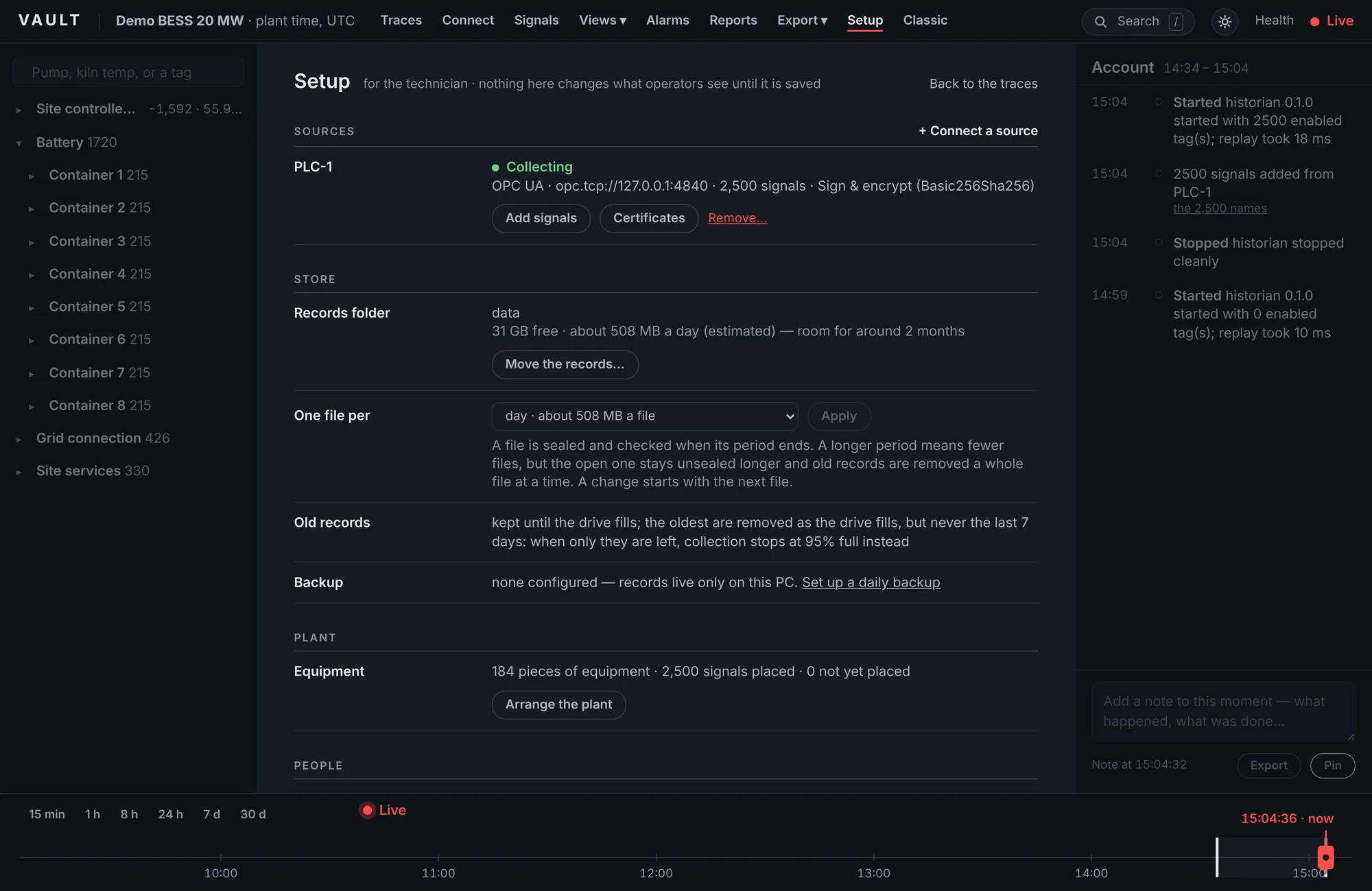
For the engineer who sets it up
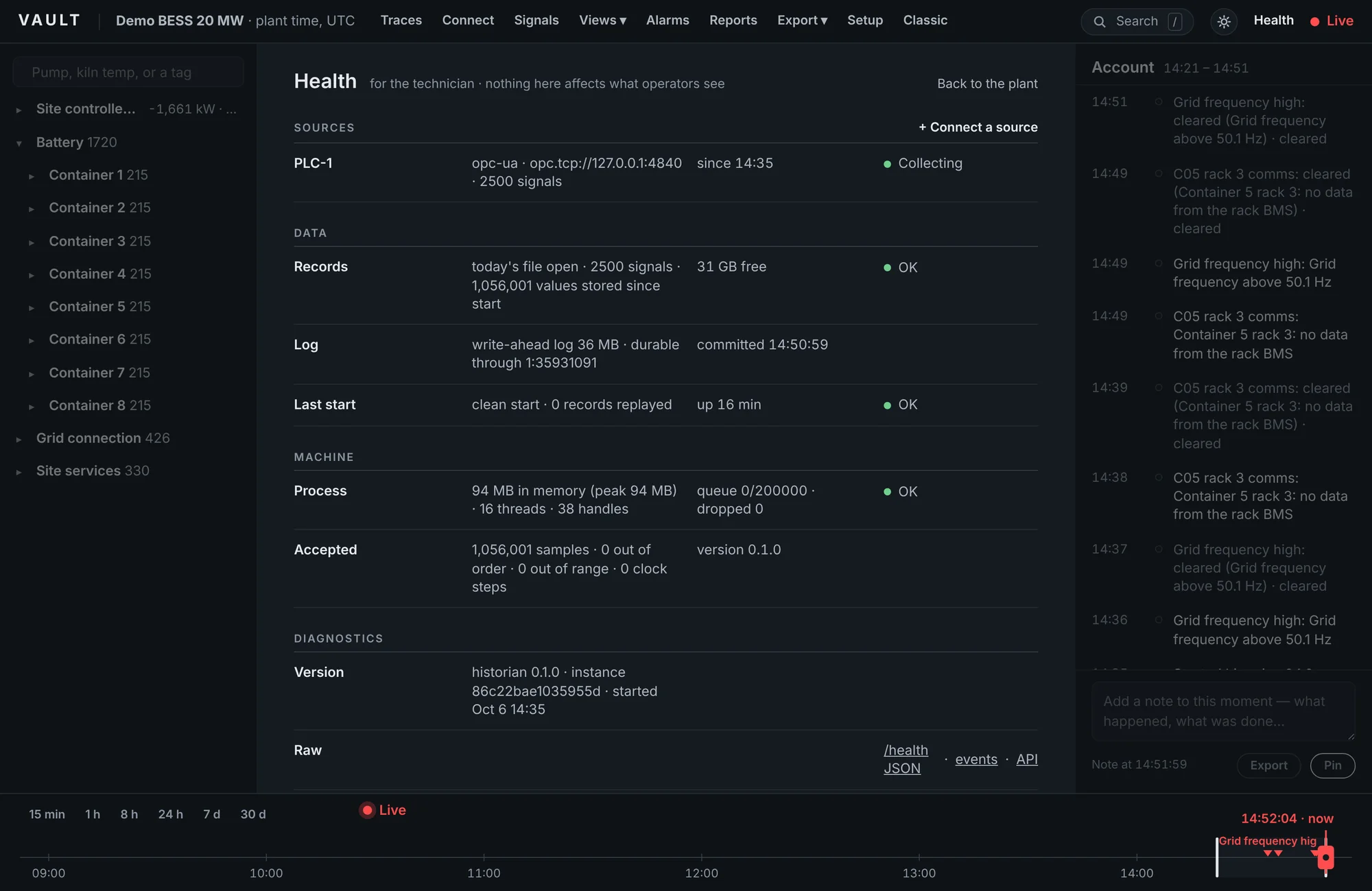
Setup and Health are sheets for the technician, kept away from the operators' screen. Everything is a form; the configuration file underneath stays readable and editable.
Everything in the box
One licence, every feature. There are no modules to buy later.
- Collection
- OPC UA subscriptions with negotiated server limits, per-signal rates and recovery of lost notifications after a reconnect. Modbus TCP with block reads, four word orders, scaling and register-map import. OPC UA · Modbus TCP
- Storage
- Write-ahead log synced to disk every second (configurable to every batch), then lossless compressed chunks in one file per day, week or month, sealed with SHA-256. Optional deadband or swinging-door compression per signal.
- Viewing
- Plant tree, multi-lane strip, playback, compare, bookmarks, notes, tablet layout, dark and light themes. Any current browser; nothing to install on clients and no per-client licence.
- Alarms
- High, low, rate-of-change, bad quality, stale and expression rules with hold time and hysteresis, acknowledgement, and e-mail, webhook or script notification.
- Calculations
- Calculated signals from expressions, with daily, weekly or monthly integrals, run hours, maxima, minima and deltas that survive restarts.
- Reports and export
- PDF reports on demand or on a schedule; CSV, Parquet and PNG export; HTTP and JSON API; a Grafana data source with gaps as gaps and events as annotations.
- People
- Viewer, operator and administrator roles, sign-in with hashed passwords, an audit trail of every change, and a support bundle that leaves passwords out.
- Housekeeping
- Retention by age and disk use, with the last seven days never removed; backup and verified restore; moving the records to another drive while collecting.
What Vault does not do yet
We would rather you knew now than found out on site.
- MQTT Sparkplug B, IEC 60870-5-104, IEC 61850 and DNP3 collection
- Store-and-forward to a central Vault for multi-site fleets
- Redundant pairs with automatic failover
- HTTPS without a reverse proxy in front
- Linux builds
Tell us which of these would decide it for your site. That is how the list gets ordered.
System requirements
- Operating system
- Windows 10 or 11, 64-bit
- Processor and memory
- Any current x64 PC. 0.5–0.65 % of one 2.8 GHz Xeon core with 3,000 signals at one second (Linux test rig). Memory peaked at 199 MB in the week-long Windows soak; the 30-day test is still open.
- Disk
- About 0.57 GB a day for 2,500 signals at one second (1,058 changes a second on average, no deadband), measured in the Windows soak; less with deadband on slow signals
- Network
- Reach to the PLCs or devices; no internet connection needed
- Clients
- A current Edge, Chrome, Firefox or Safari
Questions engineers ask
Something not covered here? Ask us; we answer within one working day.
Is there a tag limit?
No. A licence covers one site, whatever it logs. The tested configuration is 3,000 signals at one second on a modest PC; the engine itself uses well under one per cent of a CPU core at that load.
What does it run on?
Windows 10 or 11, 64-bit, as a service that starts with the PC. A panel PC or a small industrial PC is enough. A portable copy runs from a folder for tests and commissioning.
Do I need a database or a server licence?
No. Vault stores its records in its own files on the local disk, with SQLite built in. There is nothing else to install, license or back up separately.
Can I get the data out?
Yes, always. CSV and Parquet exports, an HTTP API with JSON, a Grafana data source, PDF reports and PNG charts. Every export states the compression that was in force, so nobody mistakes a deadbanded value for a raw one.
Does it replace our SCADA?
No. Vault records and shows what happened; it does not control anything and never writes to the PLC. It sits alongside the SCADA or HMI you already have.
Which PLCs has it been tested with?
Vault has been tested against several OPC UA servers and simulators, and is being evaluated on Siemens S7-1500 and Phoenix Contact PLCnext controllers now. Any OPC UA server or Modbus TCP device should work; results for each controller will be published as they come in.
Is it secure?
Vault answers only on the PC itself until you add users. OPC UA connections use Sign or Sign & Encrypt with certificates trusted in both directions, PLC passwords are encrypted by Windows, and every change a person makes is written to an audit log.
See Vault on your own plant
Early access sites get the full product, direct help from engineering, and their first site licence for £1,995 instead of £2,495.